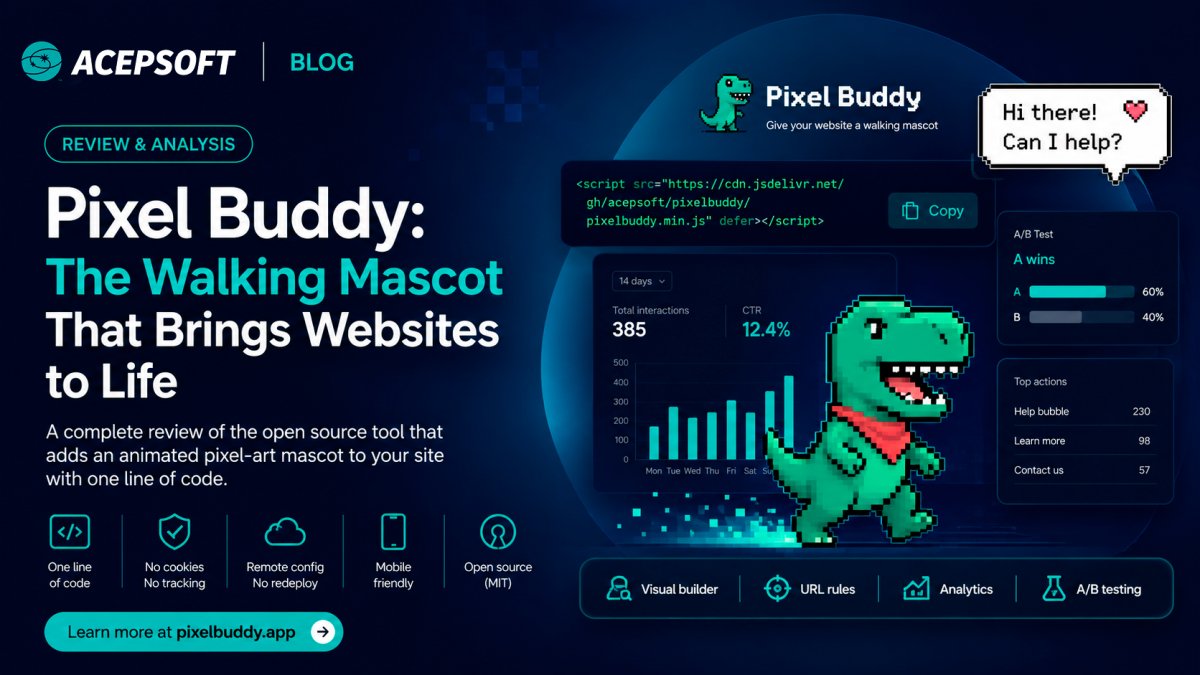
Meet Pixel Buddy: A Tiny Mascot That Makes Your Website Feel Alive
Most websites are silent. A visitor lands, scans, and decides in seconds whether to stay — and nothing on the page reacts to them at all. No nudge toward the thing they came for, no
personality, no sense that a human built this. We accept that silence as normal because we're used to it. But silence is a choice, and it's costing you attention.
Pixel Buddy is a small animated character that lives on your website and quietly does the opposite of silence. It walks along the bottom of the page, peeks around your content, and
speaks up at the right moments — pointing visitors toward what matters, adding warmth, and giving your brand a face that moves. It's the kind of detail people screenshot and share. And
it takes one line of code to add.
This post explains what Pixel Buddy actually is, how it works, and why a 24×24 pixel mascot turns out to be a surprisingly effective tool for engagement.
What Pixel Buddy actually is
At its core, Pixel Buddy is a lightweight JavaScript widget. You drop a single <script> tag onto your site, and a hand-drawn pixel-art buddy appears — a tiny dinosaur, robot, cat, or dog
— and starts wandering the page. It walks, it pauses, it perches on the edges of your content, and it shows little speech bubbles with messages you control.
There's no chat window to manage, no heavy framework, no account required for the open-source version. The buddy is self-contained: it renders its own pixel art from a compact cell
matrix, animates itself, and cleans up after itself. On a phone it behaves; on a desktop it has room to roam.
Crucially, the buddy fires actions but doesn't dictate what they do. When a visitor clicks the buddy or a button in its speech bubble, it triggers an action you've defined — open your
chat, reveal a signup form, scroll to pricing, launch a modal. Pixel Buddy handles the personality and the prompt; your site handles the payoff. That separation keeps it flexible enough
to fit almost any page.
Traditional Pop-up | Pixel Buddy |
|---|---|
Interrupts | Guides |
Blocks | Walks |
Static | Animated |
Generic | Context-aware |
Why a mascot works when a banner doesn't
We've all trained ourselves to ignore banners, popups, and the aggressive "Wait! Before you go!" overlays that hijack the screen. They feel like obstacles because they are obstacles —
they interrupt, they demand, they block.
A character behaves differently. It moves at the edges of your attention instead of seizing the center of it. It feels like a companion, not a gate. Because it's playful rather than
pushy, people are curious instead of annoyed — they watch where it goes, they read what it says, and when it gently suggests "Thinking about a plan?" on your pricing page, that lands as
a friendly nudge rather than a sales ambush.
That's the whole idea. Pixel Buddy earns attention through charm instead of taking it through interruption. The result is engagement that doesn't cost you goodwill.
Messages that match the page
A mascot that says the same thing everywhere gets old fast. Pixel Buddy lets you set conditional messages based on the URL, so the buddy says something relevant to wherever the visitor
actually is.
On your pricing page it can ask, "Comparing plans? Happy to help." On checkout it can reassure with "Almost there — you've got this." On your docs it can offer, "Looking for the API
reference?" You define an ordered list of rules — a simple pattern like /pricing* or /docs/* matched against the page — and the first match wins. Each rule can carry its own message, its
own button, and its own action.
You can even give the buddy a small rotation of phrases for a given page, so it doesn't repeat itself word-for-word as a visitor lingers. This turns the buddy from a decoration into a
context-aware guide. The visitor on your blog and the visitor about to buy are two different people with two different needs, and now your mascot can speak to each of them differently.
Configure everything without touching code again
The open-source widget is configured in your page's markup, which is perfect for developers and self-hosters. But if you'd rather not redeploy every time you want to change a message or
swap the character, the hosted version moves all of that into a dashboard.
From there you pick your buddy, choose its color and personality, set how fast it walks and how often it speaks, write your per-page messages, and hit save. The changes reach your live
site immediately — no code change, no deploy, no waiting on a developer. Your marketing team can adjust the buddy's behavior the same way they'd edit a headline.
You can also keep a small library of buddies per site and flip which one is active whenever you like — a festive character for a launch week, a calmer one the rest of the time. Nothing
about switching the active buddy touches your site's code; you choose, you save, and the next visitor sees the change.
Make it your own
The built-in characters are a starting point, not a ceiling. Pixel Buddy includes a visual editor where you paint your own buddy cell by cell on a 24×24 grid, choosing colors and shaping
the character to match your brand. If you've ever wanted your own little mascot but didn't have an illustrator on hand, this is the closest thing to drawing one in a few minutes.
The editor works the way pixel art should: click to fill a cell, build up the silhouette, pick your palette, and watch a live preview of the buddy walking as you go. Start from one of
the existing characters and modify it, or begin from a blank grid and design something entirely yours. When you're happy, save it to your library and set it active — and it's live on
your site, no deploy required.
See whether it's actually working
Charm is nice, but you'll want to know if the buddy is earning its place. The hosted version counts the moments that matter — how often the speech bubble is shown, how often the buddy is
clicked, and which actions get fired — and presents them per site with a 14-day chart, click-through rate, your top pages, and your top actions.
And if you want to compare two buddies head-to-head — different characters, different messages, different personalities — you can run an A/B test. Traffic is split across the variants
and the results add up over time, so you can see at a glance which buddy performs better, then make the winner active with one click.
Privacy-friendly by design
It's worth saying plainly, because so many web widgets get this wrong: Pixel Buddy doesn't use tracking cookies. The hosted analytics record only anonymous interaction events — what was
shown, what was clicked, which action fired, and on which page — tied to a temporary, cookieless session signal. No names, no emails, no stored IP addresses. The session signal is
derived in the browser purely to keep a visitor's experience consistent across a session, not to build a profile or follow anyone from site to site.
For you, that means a fun engagement tool that doesn't drag a heavy compliance burden in behind it. For your visitors, it means a little character that's there to help, not to harvest.
Open source at the core
Pixel Buddy's widget is open source under the MIT license. You can read the code, host it yourself, and embed the buddy on as many of your own sites as you like, free, forever. If all
you want is a charming animated mascot on your page, that's the whole product, and it's yours.
The paid plans exist for teams that want the cloud layer on top — the dashboard, remote config, conditional messages, analytics, and A/B testing — so they can manage everything without
redeploying and learn from real numbers. The moat is the platform, not the mascot. The mascot belongs to everyone.
Is Pixel Buddy a chatbot?
No. Pixel Buddy is not a chatbot or customer support platform. It's an interactive website mascot designed to capture attention and guide visitors. However, it can trigger actions such as opening an AI chat, displaying a signup form, launching a modal, or navigating to another section of your website.
How does Pixel Buddy work?
After adding a single script tag to your website, Pixel Buddy appears as an animated character that walks around the page and displays configurable speech bubbles. Depending on your setup, visitors can interact with the mascot to trigger custom actions or navigate to important pages.
Can Pixel Buddy display different messages on different pages?
Yes. The hosted version allows you to configure URL-based rules, enabling the mascot to display different messages depending on the page the visitor is viewing. For example, it can promote pricing plans on your pricing page or offer documentation help inside your docs section.
Getting started
Adding Pixel Buddy is genuinely a one-line job:
<script src="https://cdn.jsdelivr.net/gh/acepsoft/pixelbuddy/pixelbuddy.js"></script>
Drop that on your page and a buddy starts walking. From there you can give it a personality, write it some lines, and decide whether you want the dashboard to manage it all for you.
Whether you're a solo developer who wants a little life on a landing page or a team looking to guide visitors toward the actions that matter, the buddy scales to fit.
Your website has been silent long enough. Give it a friend.